 Since it is Microsoft, and I’m sure they already have a lawyer approved press statement justifying their actions, no one will call it what it is, but Microsoft has written and launched a trojan (A program that appears legitimate, but performs some illicit activity when it is run…Trojans often sneak in attached to a free game or other utility.) that installs software on the user’s computer without the user being told or having the opportunity to not install the software. (Actually, I’m sure that there is something buried in the bajillion page user agreement that I am laughably supposed to read before installing software.)
To skip ahead, search enhancement pack remove seaport.exe
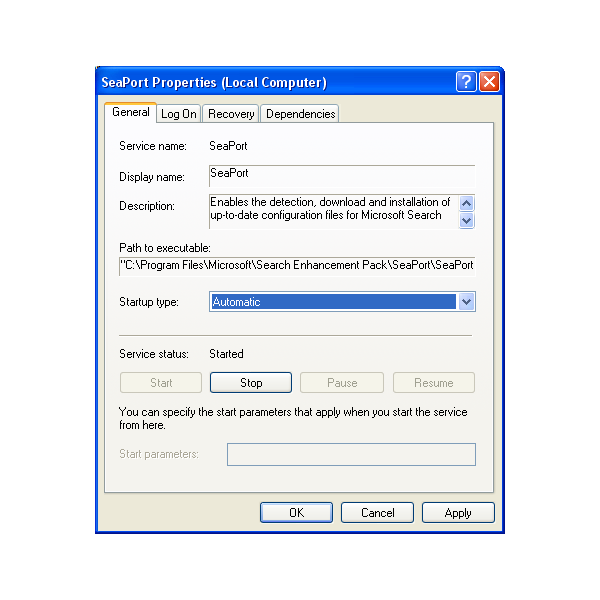
The trojan program from Microsoft is the Windows Live software bundle. Installing any one of the applications from the bundle will result in an extra service being secretly installed on the user’s computer. The service, called SeaPort, is installed as an Automatic service and thus runs on startup each and every time the user boots their computer regardless of whether or not they are running the software that was ethically installed on their computer by request.
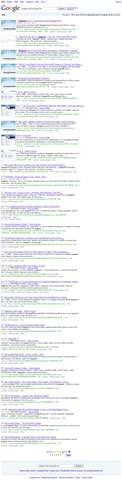
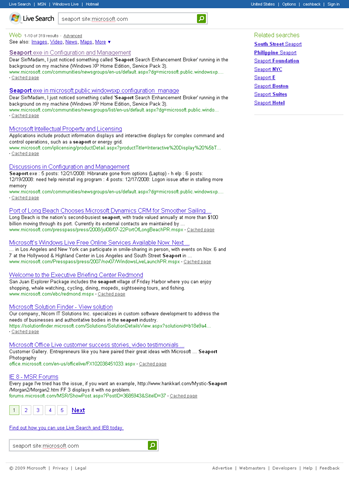
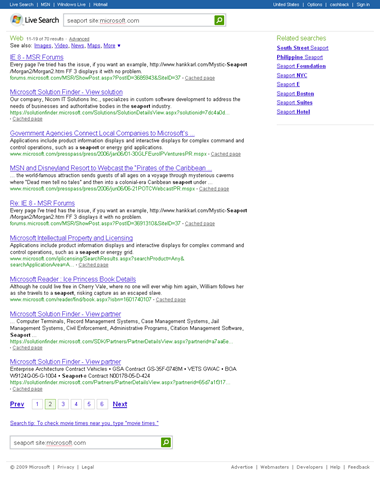
Searches done on both Google and Microsoft’s own Live search engine show no mention whatsoever of Seaport on Microsoft’s website except in a user community where another bewildered user asks, “What is Seaport and should I be worried?” Screenshots of the Seaport-less searches done on January 28, 2009 are here:
 …..
….. ….
…. 
As confused users arrive here in droves by asking seaport.exe what is (grammar isn’t a strong suit of the flummoxed searcher) one can only wonder how many millions of other users haven’t even noticed.
Enough is Enough
I have officially had it with software companies (and Microsoft is not the only one) installing any and all of their garbage on my computer whenever they feel like it because they think it will improve the experience for using software that I may or may not ever use!
I am now looking into starting a non-profit organization that monitors, publicizes, and when necessary pursues other actions against software companies for this and other unethical installation practices. If you want to be kept in the loop as it gets started up, grab the RSS Feed or shoot an email to [email protected] asking to be added to the email list. (I not only do not spam or sell your email address, I won’t even email for any reason other than this topic unless you state otherwise.)
Sorry to bump an old article but I had to.
Without the Software companies.. You’d be sitting on your roof sending smoke signals to your mother across town to come pick you up for dinner. It’s a little ridiculous to sit and say “I have officially had it with software companies (and Microsoft is not the only one) installing any and all of their garbage on my computer whenever they feel like it because they think it will improve the experience for using software that I may or may not ever use!”. With their statistics and endless testing they say it’ll help. the majority. You can’t please everyone. The serivce is there to help gather information to help them enhance their search engines. How else will they now what’s going on with the machines running their systems around the world?. Would you like them to call everyone on their cell phones? or send em a txt? Then maybe you could start a company blocking text messeges.
Also, you should check into how a virus scanner sniffs out a Trojan and the characteristics the virus’ carry and you’ll see why this file was picked up as a trojan. I’m not saying the companies dont do certain things to keep you spending money. But I would think they gotta stay in the loop as much as possible some how..
EITHER WAY:
Read the stuff you’re suppose to read before you install it.. That’s why it’s there to read. Or at least read the selectible options.
It is still my computer. It is still my choice to install software. If software companies want to provide true, straight-forward, information about what they are doing and how they are doing it, then your point holds. While they go about installed hidden services and processes that are not disclosed ANYWHERE (I dare you to find a single word about Seaport in any terms or conditions) then that is not OK.
The way companies are made to behave is by users expressing their opinions about how the products work.
Somebody essentially help to make seriously articles I would state. This is the first time I frequented your web page and thus far? I amazed with the research you made to create this particular publish extraordinary. Excellent job!
I think you did a good job with this and the related blog on getting rid of the my-places-bar (which I was reading in order to get rid of it, which I think I have done). I have avoided installing any and all “search” from Microsoft, in the updates that are offered, and maybe this has helped me to avoid the resource drain that you describe above.
Although I like your blog and your points, here is one point I would like to offer in the spirit of selfish constructive criticism (i.e.: if you fix this, it will make it a better read for me):
No dates? Don’t you date what you write? I don’t know if you are doing your own hosting or if someone else is, but if the article or blog is not going to be dated automatically, personally then I would manually insert it into the blog. It is disorienting to read things which reference the time-period (for example: “I have now had it with thus-and-such problem”) but which provide no date. I can guess at it, but what a pain. So, I suggest providing dates of authorship for each article.
Josh
Josh,
Ironically, I removed the dates after a couple of other users made comments like, “I know this is an old post, but…” I’m still trying to decide what structure would be optimal for most users.
Would you have read it if it had been dated Feb 2009? What about if it had been dated Sept. 2008?
I know sometimes people look at the date and then figure it is “old news” whether it is still applicable information or not.
Either way, thanks for reading and taking the time to comment.
Cannot delete seaport what program is it associated with? thanks.