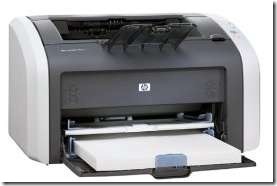
HP LaserJet 1012 Printer Drivers for Windows 7

hp-laserjet-1012-printer-windows-7-driver-unsupported HP printers have been solid workhorses for some time. Many IT pros swear by HP printers and won’t buy anything else. As Microsoft Windows 7 becomes more commonly installed and the default operating system installed on most new computers, upgrading old HP printer drivers to Windows 7 is more important.

Unfortunately, HP has decided to abandon a large group of HP printer owners. Numerous HP printers, particularly inexpensive "low-end" models have been assigned by HP to "Category 6". Category 6 printers will not be supported under Windows 7, which means that Hewlett Packard will not be offering new print drivers for those models of LaserJet, InkJet, and All-in-One printers.

Of course, HP is doing its best to spin the situation by pointing out how many other printer drivers it is offering, and offering its more gullible customers the chance to participate in a special HP printer upgrade program for owners of obsolete printers. Too bad that the so-called special pricing upgrades offered by HP don’t compete with the best deals that a savvy consumer can find on the Internet or by watching the sales ads in the Sunday newspaper.

No Windows 7 Drivers for HP Printers 1012 and More

Obviously, the decision to not provide Windows 7 drivers to loyal HP customers is motivated by money. Although possibly a good financial move in the short-term, the lasting damage to HP’s reputation among customers, end-users, and technology professionals may well prove to be a much bigger expense than simply coding a few printer drivers. All of which raises the question,

"Why is HP not making Windows 7 print drivers for the HP 1012 and other printers?"

The full-answer lies within the walls of HP, but some information can be extrapolated.

First, HP fell victim to the business strategy of trying to bundle HP printing software with its printer drivers under Windows XP. These printing bundles provided little to no value and came with enormous overhead. Often, these printer bundles came with numerous printing utilities that customers never used and the bloated the size and complexity of updates from HP. Professional systems administrators and businesses stripped out the extra software immediately and used just the plain driver, while less savvy end-users ended up installing the software, but never using it.

However, since the software had been offered by HP and touted as improving the printing experience, HP was obligated to support and update not just the printer drivers, but the software bundles as well. This proved to be an added expense with no value because most people did not see any benefit from the utilities they were duped into downloading.

The extra HP software allowed HP engineers to code to their own internal standard instead of being confined to the actual computing standards being followed all over the world. For example, the HP Laser Jet 1012 print driver claims to support either PCL5 or PCL6, although the driver output from both modes does not conform to PCL standards. It is this bad business decision that is forcing HP to abandon so many of its good customers by not updating the drivers.

In order to fully support lower-end HP LaserJet printers that got these half-standards drivers, HP would have to fully recode the whole driver in order to generate the proper output to the printer hardware from inside Windows 7. The existing hooks and printer driver components supplied inside of Windows 7 by Microsoft as part of the operating system would not be usable because they only generate true standardized PCL output streams. The HP LaserJet 1010 series would not be expecting pure PCL commands and would produce errors.

Unsupported Personality PCL LaserJet 1012 Error Message

Many users have tried to continue using their LaserJet printers in Windows 7 by using another printer driver. Most theorize that a "close" model number would provide good enough printer driver support for their specific HP LaserJet model printer. Unfortunately, that isn’t always the case, since the true determining factor of whether or not the driver will function properly is whether or not the printer shares the same kind of pseudo-PCL code as the alternate driver.

For example, most LaserJet 1012 owners first try using the LaserJet 1015 driver. While some users report success, most find that they get errors right away, and most other begin to notice more and more errors as they try and use the wrong driver.

Fortunately, the LaserJet 3055 printer driver for Windows 7 appears to be able to allow the LaserJet 1012 printer to run under Windows 7. However, many users note that even that will eventually fail with a Unsupported Personality: PCL error message being printed on the page. Some users can clear the message by deleting the print job and power cycling the printer.

As it turns out, the error is caused by a mismatch in how the LaserJet printers implemented the PCL standard. The LaserJet 1012 printer outputs additional unsupported data with every print job. Eventually, all of the "extra" data fills up the buffers and the printer stops working. Additionally, the LaserJet 1012 uses a hacked printing methodology that prints everything as Raster-graphics and not vectorized. The LaserJet 3055 driver by default is set to vectorized which causes more serious errors.

Fortunately, users of LaserJet 1012s can use the 3055 driver successfully if the printer properties are changed to raster-graphics from vectorized and the printer is powered off every so often. A good trick for personal users of LaserJet 1012s is to attach them to a power strip used to shut down the computer on weekends or overnight which will cause the printer to power-cycle on a regular basis. Users with higher-end powerstrips like the APC Power-Saving Surge Protector can plug the printer into one of the managed outlets which will cut power to the device whenever the computer is turned off.

Google Buzz Gmail Fails Against Facebook & Twitter

google-buzz-facebook-failure Google’s recent attempt to crack the social networking market comes courtesy of an ill-conceived service titled Google Buzz. The idea is that that Buzz provides similar status updates, and shared links, and so on, right inside of your Google email account. Of course, it is this very concept that dooms Google Buzz to failure, and casts a wide shadows of doubt upon the company’s once legendary ability to understand what users want and deliver useful innovation to the web.

Google Buzz Flaw

The primary flaw with Google Buzz is, ironically, the feature that the company is most proud of, it’s tight integration with Google Mail.

The privacy advocates have thrown up a hundred red flags as Google rolled out Buzz, and the company seemed a bit unprepared for the backlash. More tellingly, it seemed to be completely caught off guard by the problems that were pointed out, as evidenced by the numerous changes it made to the platform just days after it was unveiled.

The only explanation is that Buzz was built by Google, inside of Google, by Googlers, who are advanced and dedicated users of all things Google. This isn’t necessarily a bad thing, except for when that it means that "within Google" is no longer in sync with the world outside of Google. Of course, a ten-year Google employee has no problem linking together all of his Google services. He’s probably been doing it through other means for years. Likewise, he is only too happy to have another way for friends, family, and co-workers to find all of this stuff that he put out there on the Internet for all to see.

However, out here, in the 99.99999999% of the world that is not inside of Google headquarters, we have lives that are not universally linked. Most people have families, friends, co-workers, co-workers who are friends, colleagues who are acquaintances, but not necessarily friends, bosses, ex-girlfriends, and ex-boyfriends, and ex-wives and ex-husbands. Some of us have kids, grandkids, and great-grandkids. Likewise, some of us have parents, grandparents, and maybe even great-grandparents. For each of these groups of people, there are undoubtedly sub-groups, ranging from conservative to liberal, political to non-political, religious and not, those who enjoy British humor and those who think it is stupid, and on, and on, and on.

The point of all this is that in our lives we are not interested in blending all of these layers together. The Wednesday drinking buddy would laugh hilariously as the cartoon we found, while the dad from our kid’s play dates would be horribly offended. Surely, this is the point of lists and groups, but there is more.

Email vs. Social Networking or Gmail vs. Facebook

Which brings us to the fundamental misunderstanding that makes Buzz a non-starter. Who we email, and who we tweet, update, and share with, are not the same.

The super-techie types and the super-marketing types may insist that the power of social networking websites like Facebook and services like Twitter comes from being able to interact with your whole network all of the time. However, the vast majority of those of us who make up Facebook’s 400 million users are neither.

We only link to certain friends and contacts. We shudder when our Great Aunt Matilda sends us a friend request. We don’t want our contact list to be our friends list.

In other words, while my Google Address Book bursts at the seems with people I met at a conference two years ago, and who from time to time, I do send emails too, I am not interested in those people seeing pictures of my kids, my new barbeque, or where my tickets are for Buffs home games. Frankly, I’m not interested in hearing about those things from them either.

If Google wants to play in this space, they have to acknowledge what everyone else has already figured out. The web is not all just one big thing. That’s why social networking is often called Web 2.0. It is different than the "regular" Internet of websites, searches, and emails, and we like it that why.

Incidentally, if it is any consolation to the search engine king, this same concept is why, for all of its attempts and numerous re-designs, Facebook search and Facebook email is doomed to failure for anything outside of the Facebook environment. While I might love to hear what my buddy Frank has to say about his new high-definition LCD TV, I don’t care what he thinks about the benefits of knee surgery, spas in Crested Butte, or where to take my children for their birthdays.

Facebook and Google, social networking, and the regular Internet are all different, and never the two shall meet.

Wireless Networking Drops Connection Windows 7 Troubleshooting

Here we go again.

I had hoped this crap would be fixed in Windows 7, but apparently the long suffering Microsoft blunder known officially as NetBIOS / NetBEUI, and as NetKablooey by any experienced systems administrator or network administrator, just won’t die. Although Windows 7 itself doesn’t necessarily use NetBIOS anymore (a long ago abandoned local area network protocol, that among other things, would not scale to large networks) it still has it built in, presumably to handle the error-prone NetBEUI connections still out there on Windows XP machines all over the world.

If you have a wireless network that randomly drops connections even though your wireless adapter connects fine to the wireless network and Windows 7 says that nothing is wrong, and may even still show as connected based on the icon in your system tray, chances are you are being knocked off the wireless network by browser elections from the old NetBIOS network protocol. Basically, browser elections unleash a flurry of broadcast packets out onto the network, that for some reason are not handled properly and Windows 7 starts shutting down services to fix it.

Unfortunately, it seems that no one seems to know that this happens a lot and you will see post after post in wireless network troubleshooting forums or wireless help forums about computers that work just fine with the wireless network most of the time, but sometimes just drop the connection for no reason. The self-proclaimed experts in these forums answer with all of the same drivel that they do for any wireless connection problem: update your drivers, check your SSID, check your security settings, and then, when none of their worthless suggestions work, then they will tell you to blame your microwave, or buy a new wireless adapter or wireless router. They’ll even helpfully through in a brand name suggestion that has, “worked well for me in the past.” – WHATEVER!

Computer Browser Error Causes Wireless Network Connectivity Problem

Here is what is really happening. You can prove it with your computer’s own system event logs. (The logs are under Administrative Tools -> Event Viewer -> Windows Logs -> System)

Depending upon how long it has been since your computer dropped its wireless connection and you look in the Event Viewer, these events may be right up at the top, or you may have to scroll down a bit to find them.

wireless-network-error-browser-election-disconnect The tale tell sign of Browser Elections from NetBIOS breaking wireless network connections is a pattern of 3 system events that all occur with the same timestamp. The easiest way to find them is to look for the Source of BROWSER. That will be the first of the three events. The other two events will be the TCP/IP NetBIOS Helper service was successfully sent a stop control, followed by The TCP/IP NetBIOS Helper service has been stopped.

wireless-network-error-tcp-ip-helper-stoppedThe next events may vary depending upon how your computer is set up, but will include one indicating that the TCP/IP NetBIOS has successfully started. This is why your Windows 7 system does not know that it has lost wireless connectivity. It THINKS the link is still working and will not change the system tray icon to show a disconnected network because TCP/IP (which is what it is actually using for networking) is working normally.

Unfortunately, another service gets knocked offline during this cascade of system events that does not get restarted. The WinHTTP Proxy Auto-Discovery Service, which should be completely unnecessary for a system using legitimate networking standards, enters the stopped state and does not restart.

wireless-network-error-winhttp-dns-errors This prevents your computer, not from networking and sending packets, but rather it prevents your system of having any idea what to do with that traffic. The stink of this whole thing is that if Windows 7 wireless networking worked well enough without all of these “helper” services, none of this would be a problem for Internet connections because the DNS Servers would still be running. But, Windows 7 wireless configuration is too dumb to use DNS Servers for Internet traffic, because it worries more about local area network traffic. Without one of the LAN services there to tell Windows to send those packets to the Internet and use the real networking protocols standards, it flails about like a helpless child.

Unfortunately, the next event is the one that gets the WARNING icon and label and it says that there is a DNS problem. Oh, that isn’t a Windows issue, is it? I guess you’ll need to go waste hours of your time seeing if there is a DNS error. Even worse, if you re-enter your DNS settings or otherwise change the configuration of your wireless adapter enough to cause a full network subsystem restart the problem will go away…until the next time, because the problem was not with the DNS configuration in the first place.

Troubleshooting Windows 7 Wireless Network Connection Errors

Here is where it really starts to suck.

If you know anything about computers or networking, you will try to troubleshoot wireless connections by disconnect and reconnect to the wireless network as a way to reset the connection. That won’t work, however, because connecting and disconnecting don’t check the status of the WinHTTP Proxy service.

Running the Windows 7 troubleshooter MIGHT work, if the system decides there is enough of a problem to completely restart the networking subsystem, in which case the WinHTTP Proxy Service gets sent a restart command. While this does restart the service, and restore a functioning wireless network, it does not take any notice of the fact that the system was stopped in the first place, or what caused it to crash originally, so nothing really gets fixed.

What can you do to permanently fix these wireless connection errors?

Go into Services (in Administrator Tools) and set Computer Browser to Disabled (you have to stop it first.) Then, this idiotic vestige of Microsoft blunders past won’t try and force elections to make itself the Master Browser, and thus won’t knock itself off of the wireless network. The only downside to this solution is if your network design sucks enough, or if you have old Windows XP computers sharing files and folders on your home network, you might not be able to connect to those computers by name.

You can solve this problem by using LMHOST files or other means of name resolution.

Theoretically, if there were only Windows 7 computers on your wireless network there would be no issue, with name resolution, but, you might STILL get knocked off the network because Windows 7 refuses to assume that there are no old and busted NetBIOS computers on your network until proven otherwise, which means every time you turn on a computer, or some invisible timer goes off, some computer will try and force a browser election and break the wireless connection again.

Update: Disabling the browser service is not enough. Computers can continue to be knocked off the wireless network by responding to the browser elections of other computers, it seems.

Additionally, other services besides WinHTTP Proxy may be disrupted and cause subsequent wireless networking problems. Users should go into Services Manager and sort by startup type. Then, scan for any Automatic processes that are no longer running and restart those as well.

Event 25 sbp2port Detected Old or Out-Of-Date Firmware External Hard Drive Firewire FireLite Portable HDD

Ah, more Windows 7 glitches. This one is particularly irritating because it is caused by Microsoft Windows 7 trying to be smarter than the user. In general, I don’t mind when the operating system takes care of me, but when it does, I expect a way to be able to undo what it is doing, because what some engineer somewhere thinks I need, isn’t at all what I need. This is especially true when it comes to "protecting" the user or the computer system.

Today’s drama is brought to you by an older, but not ancient external hard drive called the SmartDisk Firelite external hard drive firewire version. It’s just a 20 GB portable drive, but it works just fine, can get its power from the firewire port, and holds more than the average USB keydrive; plus, it copies files faster.

As expected, Windows 7 detected the new firewire disk when I plugged it in and installed a generic driver for it. It mounted the volume, and gave it a drive letter. This is all great, and frankly shows just how good Windows 7 is as a PC operating system.

I started copying over the files that I wanted to have on the Firewire drive. Everything was going just fine. New folders and files were appearing, and everything was working great. Then, all of the sudden, the Firelite disk drive powers down in the middle of the copy. Teracopy keeps trying for a minute, but eventually fails.

A look inside of Event Viewer -> System shows an Event 25 Error Source sbp2port. The description of the error says that:

The driver has detected a device with old or out-of-date firmware.  The device will not be used.

What the–?

The device was working just fine, and I was happy with it, so don’t disable it just because you don’t like it’s firmware.

Technically, this one isn’t on Microsoft or Windows 7, because this particular portable external HDD is not using the most up to date specification, and technically, that makes it not compatible with Windows 7.

But, it was WORKING! Just leave it alone. Don’t randomly try and detect stuff to disable. If it isn’t causing any errors (it wasn’t) then just leave it alone. Don’t even examine it. You don’t need to know what it is or what it is doing if I am using it without causing system problems.

The bummer is that searching for an answer took forever. The almost always useless "Event Log Online Help" had no information. It almost never does except for the most common no brainer problems that usually get solved before anyone even looks in the Event Viewer. Microsoft’s Windows 7 Help Center was no help either, and it appears that SmartDisk has gone under / been bought out by Verbatim, who have no driver updates past Windows XP for the device, let alone a firmware upgrade.

Fortunately I eventually stumbled upon a related thread about Windows 7 Firewire problems on the IT Pro forums which noted that if you can "update" the IEEE 1397 Bus Host Controller driver from the 1394 OHCI Compliant Host Controller driver to the 1394 OHCI Compliant Host Controller (Legacy) driver if you go into Device Manger and choose to manually update the driver and then select one manually on your computer as opposed to trying any of the "Automatically Search" options which just go out and try and update the default driver.

So far, this has worked like a champ. Apparently the legacy driver either doesn’t care that the firmware is out-of-date, or maybe it doesn’t even check. Either way, my firewire hard drive works just fine now without some nosy system process coming along and deciding it is too old to keep working correctly on my computer.